
500+ career profiles across 17 clusters, virtual job shadow videos, and a Career Journal — here's what's in Career Central and how to use it, from whole-class K–2 sessions to independent 3–5 exploration.
A student asks what an epidemiologist actually does. Another wants to know if animators draw by hand or on computers. A third has never heard of marine biology, but watched a documentary about sharks last weekend and can't stop talking about it. You want to follow those threads, but you don't always have the time to find something worth showing.
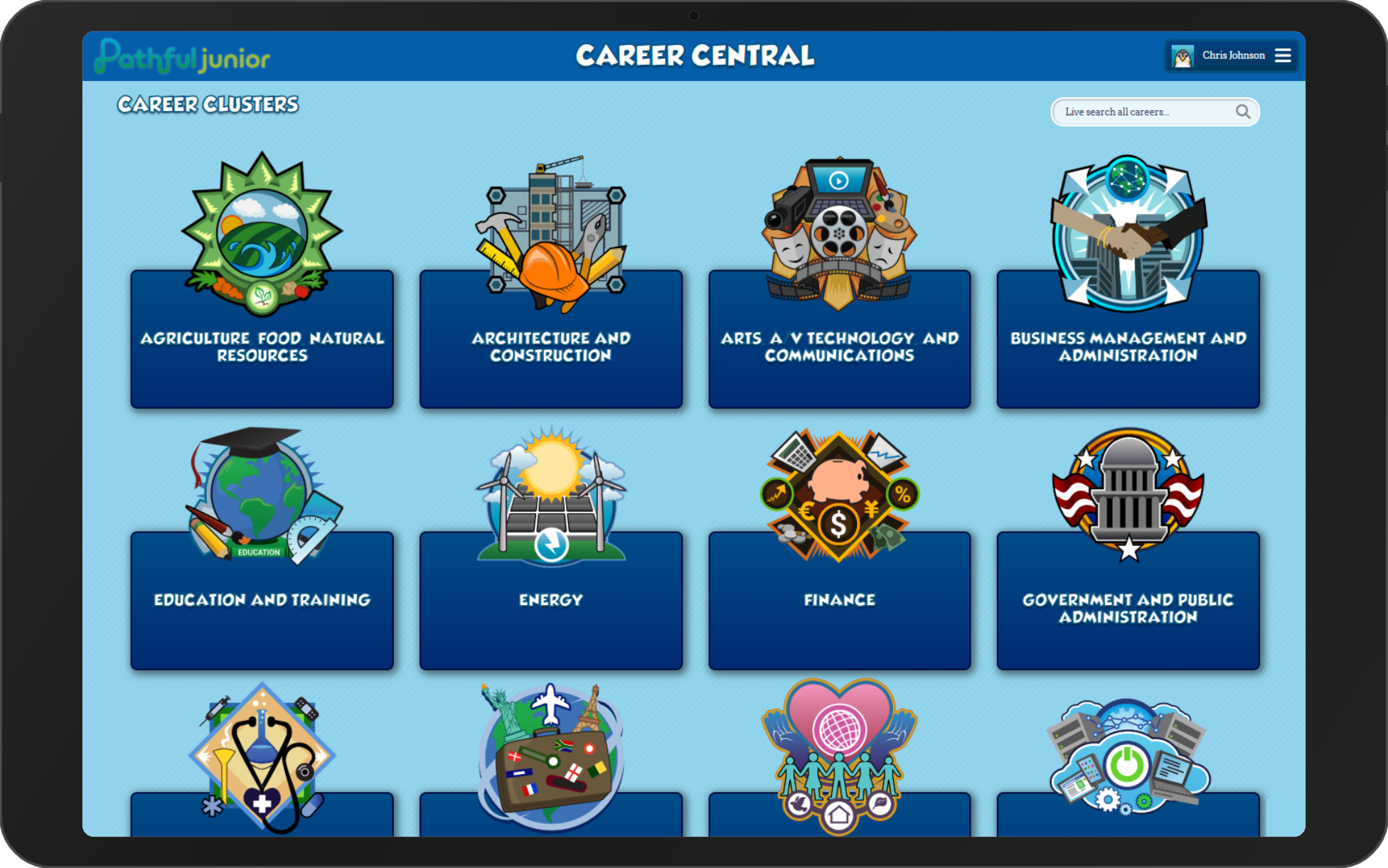
Career Central is Pathful Junior's library of 500+ career profiles, organized by 17 career clusters and searchable by name. Most profiles include a virtual job shadow video, Q&A videos, and a career description covering duties, requirements, education or certification needed, earnings, and career outlook. Students can rate any profile on a scale of 1 to 10 stars and write in the Career Journal, a series of prompts that guide them through taking notes on what they've learned about a career. It's the feature you're most likely to come back to.
What's in the 17 clusters
The 17 clusters span the full range of career fields, with natural connections to what you're already teaching:
- Agriculture, Food, Natural Resources — life science, ecosystems, earth science, geography
- Architecture and Construction — geometry, measurement, community and shelter
- Arts, A/V Technology, and Communications — storytelling, media literacy, creative writing, visual arts
- Business Management and Administration — economics, community roles, money and budgeting
- Education and Training — community helpers, growth mindset, SEL, reading and literacy
- Energy — physical science, earth science, environmental science
- Finance — money and budgeting, number sense and operations, economics
- Government and Public Administration — civics, rules and laws, community
- Health Science — human body, life science, health and wellness
- Hospitality and Tourism — geography, cultures, economics
- Human Services — community helpers, empathy and helping others, SEL
- Information Technology — technology and digital literacy, logic and problem-solving
- Law & Public Safety — civics, community safety, social responsibility
- Manufacturing — measurement, physical science, engineering and design
- Marketing, Sales, and Service — persuasive writing, economics, communication
- Science, Technology, Engineering, Mathematics — physical science, earth science, life science, data and measurement
- Transportation and Logistics — geography, trade and economics, force and motion
Whatever you're teaching, there's almost always a cluster close enough to connect.
Using Career Central in K–2: whole-class, teacher-led
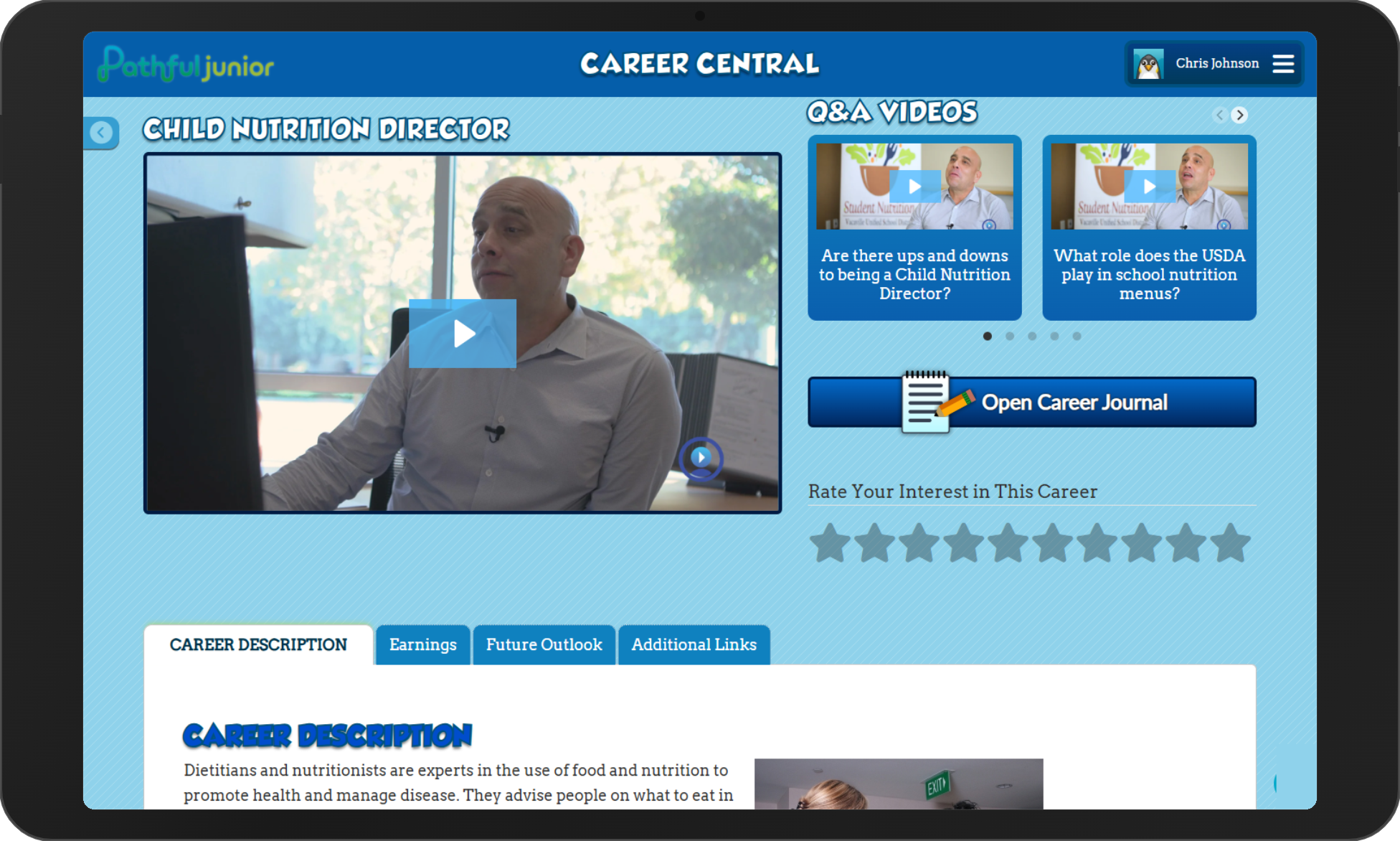
In the earlier grades, Career Central works best as a shared experience. Pull it up on your projector, pick a cluster that connects to something already on your calendar, and browse together. When you find a career that interests students, click into the profile and watch the virtual job shadow video as a class.
The discussion after the video is where the learning happens. Invite students to respond: What surprised them? Would they want to try that job? What do they think that person had to learn? After that, ask students to hold up fingers for a star rating and talk through their reasoning. You get every student responding, not just the ones who raise their hands.
The Career Journal is available from any profile, but it involves reading prompts and typing responses. In K–2, it's more manageable as a whole-class activity: narrate a prompt aloud and type student responses together on the projector as a closing reflection. You don't need it for a session to be productive, but it gives students something to look back on.
If a student brings up a career you hadn't planned for, search for it on the spot. Let student reactions guide where you click next, and if a student recognizes something a family member does for work, that's worth pausing on.
Using Career Central in grades 3–5: independent exploration
Students in grades 3–5 can navigate Career Central on their own. The cluster structure gives them enough organization to browse without constant guidance, and the search bar lets students with specific interests go directly to careers they already have in mind. A few structures work well for independent sessions:
- Cluster-based browsing: Assign a cluster connected to something you're already studying, then bring the class back together to share what they found.
- Interest-driven search: After students complete the Interest Assessment, use their results as a starting point. Ask them to find careers in a cluster that matched their interests and explore at least one profile fully.
- Focused response task: Give students a simple prompt to work with while they explore: “Find a career you'd never heard of before” or “Find a career that uses a skill you already have.”
Each profile's career description gives students enough to work with for written responses or compare-contrast activities, and the Q&A videos add depth for students who want to go further. At this age, the Career Journal is well-suited for independent work: its prompts structure what students notice and record, which keeps exploration purposeful without requiring a separate assignment. Pair it with the star rating and students leave each session with a record of what they explored and what they thought of it. A task card or brief activity sheet helps keep students on track, especially the first several times they explore independently.
Badges and avatars give students ownership of their profile
Alongside the open browsing students do in Career Central, Pathful Junior includes a structured lesson for each cluster. When a student completes a cluster's lesson, they earn a career cluster badge. There are 17 in all, one per cluster, and each badge appears in the student's profile as a visible marker of the clusters they've worked through. You'll find the lessons mapped to grade bands and subjects in the curriculum integration article.
Students can also personalize their profile by choosing from 25 different avatar images. For younger students, this is often the first thing they want to do when they log in, so let them set it early. It gives every student a bit of ownership over their space before the exploration begins.
Career Central across the school year
Career Central isn't a one-time activity. The 17 clusters mean there's a relevant entry point for most units you'll teach across the year, and students can return to careers they've already explored as their understanding deepens. A student who watched a health science profile in September will have more to say about it after a life science unit in February.
The Career Journal supports this kind of return. Because it's tied to individual profiles, students build up a record of what they've explored and what they thought of it. For students in grades 3–5, that record becomes a useful anchor as they start connecting career interests to their own strengths and curiosities, and it gives you something concrete to reference in conversations with families.
Exploring careers in Career Central also connects to Pathful Junior's badge system. Students earn a badge for each of the 17 career clusters as they explore.
Was this article helpful?
Thanks for letting us know!

Keep exploring.
Can't find what you need?
Our support team is here to help you make the most of Pathful.