A practical first-week plan for getting K–5 students logged in, running your first session by grade band, and knowing what to do across the week.
The first session with a new platform lives or dies on logistics. This guide covers the part that actually trips people up: getting students logged in, running your first session by grade band, and knowing what to do across the week.
What Pathful Junior includes
Pathful Junior is a K–5 Career Readiness and Development (CRD) platform. Students explore careers through Career Central, a library of videos and profiles organized by career cluster. They navigate alongside the Career Crew: Zuri, Fact Dragon, Volt, and Beep 9. An emoji-based Interest Assessment surfaces what students are drawn to, even before they read independently. Your dashboard tracks student activity and gives you something concrete to share with the admin when they ask.
That covers the overview. The rest of this article is about getting in the door.
Before you open the platform with students
Confirm three things first:
- Which login method your district uses (covered below)
- Whether students are on 1:1 devices, shared devices, or in a lab
- What the platform looks like on your own device before students see it
If you're not sure about login setup, your technology coordinator or district admin can confirm which method your school uses.
How students log in
Pathful Junior supports several login methods. Your district will use one of the following:
- Clever SSO: students log in through your district's Clever portal
- Google SSO: students use their school Google accounts
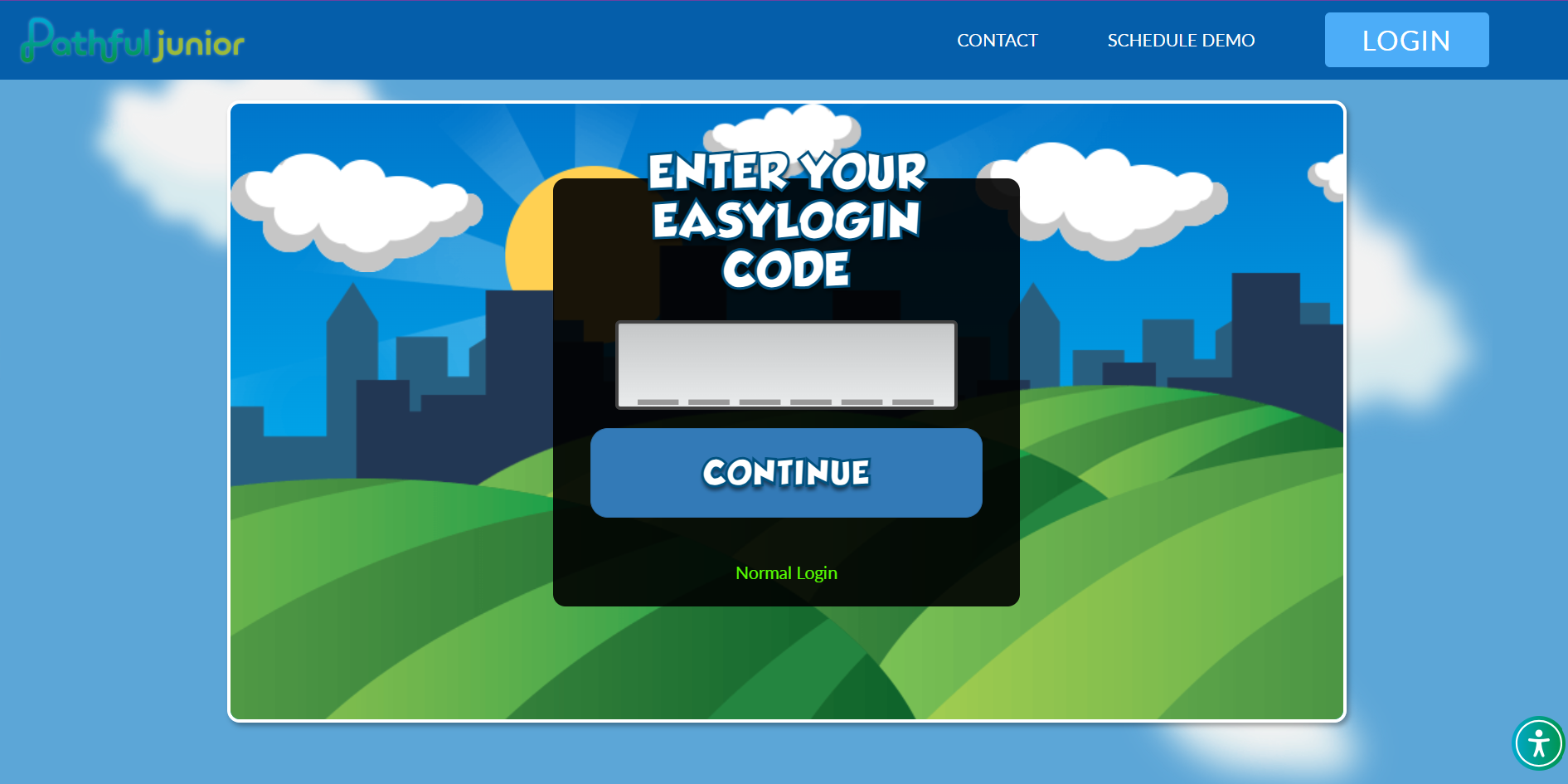
- Easy Login: a simplified alternative to username and password, designed for younger students
- Username and password: students enter individual credentials
For K–2, walk through the login steps together as a class before students try it on their own. For 3–5, a brief demo at the board is usually enough.
The K–2 first session: teacher-led, whole class
Younger students do best when the first session is something you do together. Project the platform on your board, log in on your own device, and narrate each step. Students don't need to be on their own devices yet.
A script to get you started:
"Today we're going to explore a new tool called Pathful Junior. It's full of videos about jobs, all kinds of things people do every day. We're going to meet some characters who will help us look around. Let's see what they're up to."
Open Career Central and browse one or two careers together. Let students react and share what they notice. Which jobs look interesting? Which ones surprised them? Keep it conversational. You don't need a lesson plan for the first session.
Once students are familiar with the platform, the Interest Assessment is a natural next step. See "How to Use Pathful Junior's Interest Assessment".
Strategies for K–2:
- If students are on 1:1 devices, have them follow along on their own screens after you model each step on the board. Have them put down their devices between steps to ensure attention.
- Use the Career Crew as anchors: "Zuri is going to show us something. Let's see what she found."
- Keep Session 1 to 15–20 minutes. Familiarity is the goal, not coverage.
The 3–5 first session: guided independent
Older students can handle more independence from the start, but a brief whole-class intro before they explore on their own helps set direction.
A script to get you started:
"We're starting a new platform today called Pathful Junior. It gives you access to hundreds of careers, things you might already be curious about and probably some you've never considered. We're going to log in together, and then I want you to find one career that surprises you."
Walk through the login as a class, then give students 10–15 minutes to explore Career Central independently. A focus task keeps things purposeful: find one career that surprises you, or find a career connected to something you already know how to do.
Close with a brief share-out. Ask two or three students what they found. It takes three minutes and tells you immediately what's landing.
Strategies for 3–5:
- The Interest Assessment is a strong follow-up activity once students have had a first look around. See "How to Use Pathful Junior's Interest Assessment".
- A simple exit ticket ("Name one career you want to learn more about") gives you something to post and revisit during the week.
- Students who finish early can keep exploring Career Central on their own. There's no wrong direction from here.
Your first-week plan
You don't need a new lesson every day. A few touchpoints across the week is enough.
| Day | Suggested activity |
|---|---|
| Day 1 | First login and Career Central intro (teacher-led for K–2, guided independent for 3–5) |
| Day 2 or 3 | Interest Assessment, if not completed on Day 1 |
| Day 4 or 5 | One short career video as a class, brief discussion |
By Friday, every student should be logged in and have completed the Interest Assessment. That's the goal for week one.
Your dashboard shows you where students are
After your first session, check your Dashboard. It shows which students are currently logged in and the status of any lesson or assessment assignments you've set up for your class. It's most useful as a live view during sessions, a quick way to see who is in and who isn't.
When you want a broader picture between sessions, the Reports section gives you historical data on how students are progressing through lessons and the Interest Assessment.
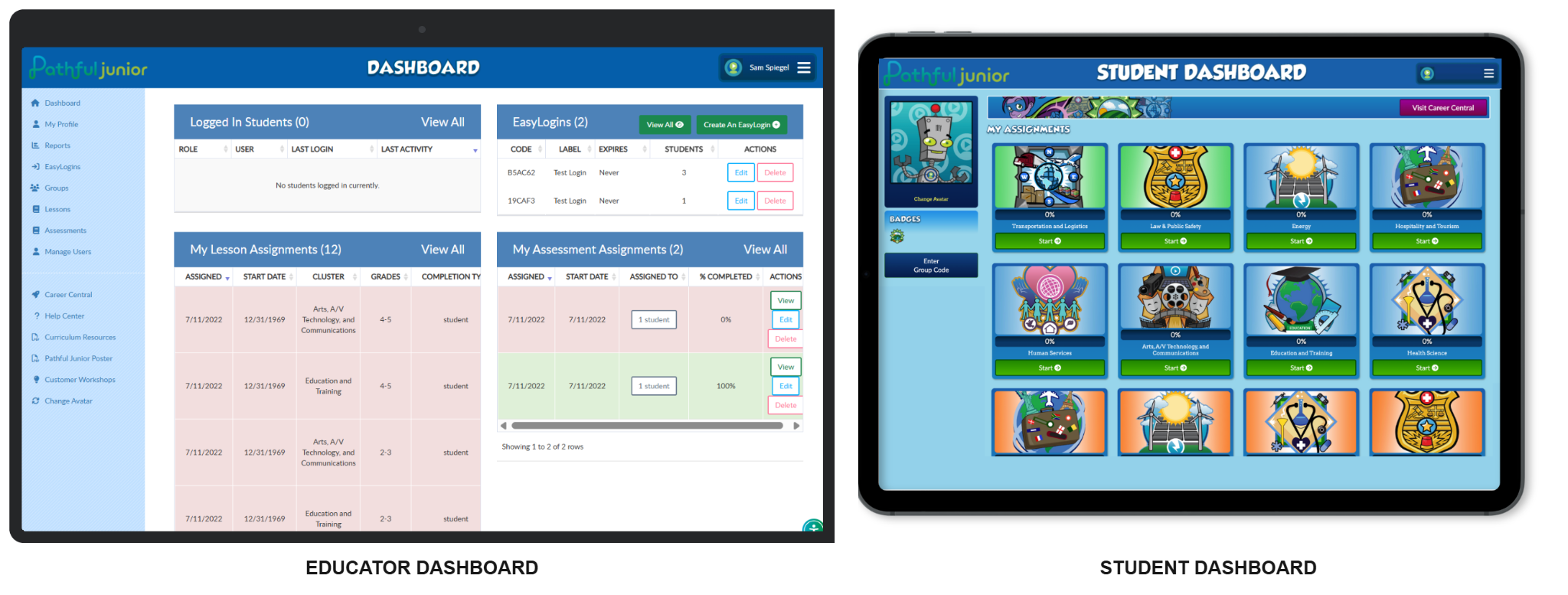
You don't need to dig into any of this during week one. Just knowing it's there means you'll have something concrete to pull up when a student needs support or an admin asks how things are going.
Where to go from here
Once your class is logged in and familiar with the platform, you have a few directions to go. Pathful Junior includes ready-made Lessons you can assign directly to students, which takes the planning work off your plate entirely. If you want to connect Junior to what you're already teaching, "Integrating Pathful Junior with the Curriculum You Already Teach" is the place to start. If the bigger question is where Junior fits in a packed schedule, "Making the Most of 15 Minutes: Pathful Junior Activities That Fit Any Schedule" gives you a practical menu of options.
Was this article helpful?
Thanks for letting us know!

Keep exploring.
Can't find what you need?
Our support team is here to help you make the most of Pathful.