Pathful Junior leans on video, read-alouds, and emoji responses more than text. Here's how each core piece works for pre-readers, and what to actually do with your K–2 class.
Open Pathful Junior for the first time as a kindergarten or first-grade teacher, and the first thing you might notice is words. Career names, profile text, menu labels. Your students can't read most of it yet, and the quiet conclusion is easy to reach: this platform is built for older kids.
But your students don't have to read any of it. The platform leans on video more than text, and career exploration at this age runs on watching, listening, reacting, and talking, all things your class already does well. The reading that does come up is yours to handle, not theirs. Once text stops being the way in, a room full of pre-readers can do real career exploration, and more of it on their own than you'd expect.
This article walks through how each core piece of Pathful Junior works when your students can't read yet, and what to actually do with them in a K–2 room.
Video carries the exploration
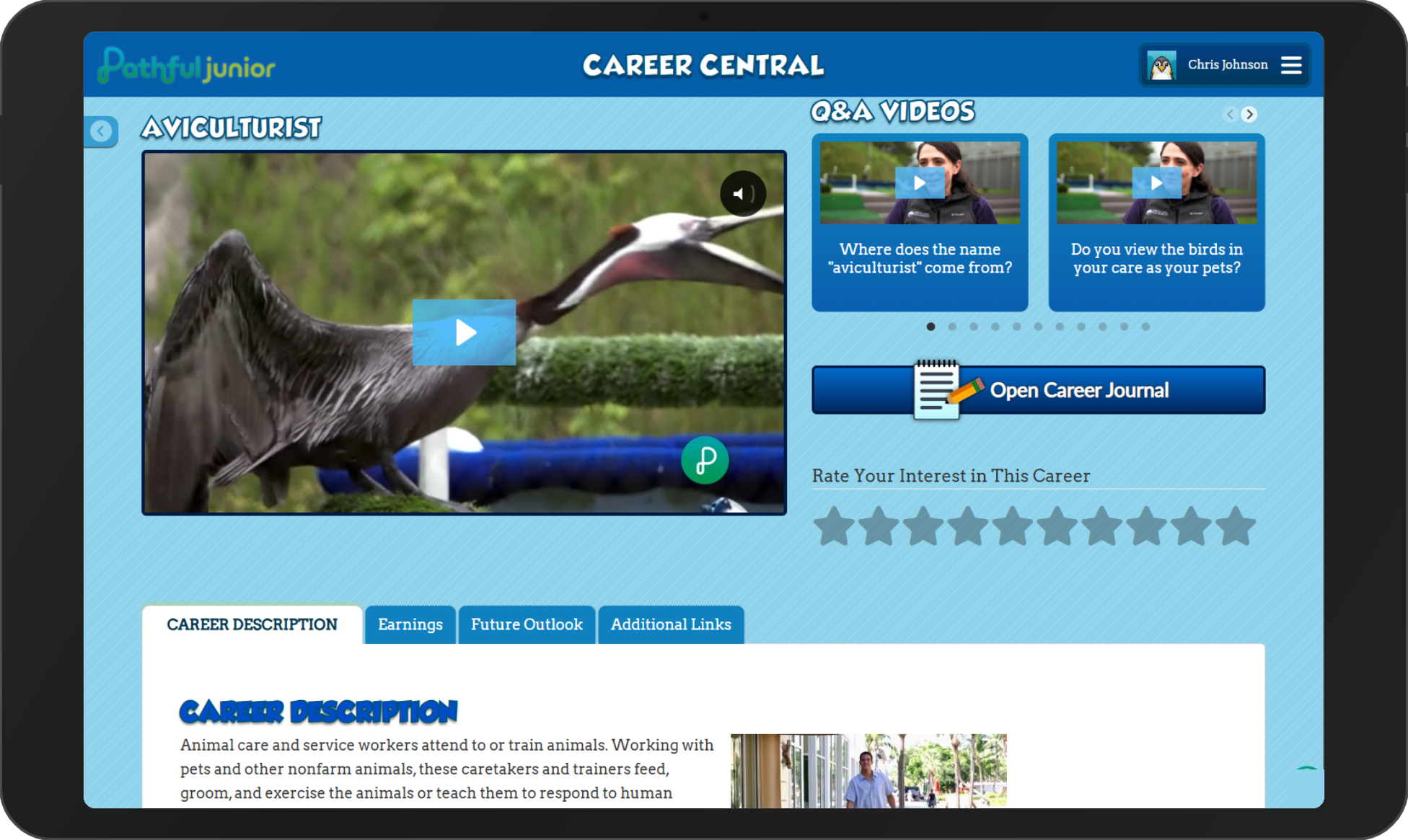
The center of Pathful Junior for early readers is video. Career Central holds more than 500 career profiles, and most of them include a virtual job shadow video that shows the job being done. Your students don't read about what a veterinarian does. They watch one examine a dog.
Start here, because video asks nothing of a reader. Pull up a career on the projector, play the job shadow video, and let students watch someone at work. At its simplest that's the entire activity, and for your youngest students it's enough.
Keep the clips short in one sitting. One or two hold attention better than a long stretch, and the talking afterward is where the thinking happens. Ask what the person was doing, what tools they used, and whether it looked like something they'd want to try. Your students will have opinions right away, none of which depend on reading a word.
You do the reading out loud
Each career pairs a job shadow video with a written description. The video plays on its own. The description is the only part that asks for reading, so you handle it for them.
Put a career on the projector, play the video, then read the description aloud. Some of it will land as written. Some of it carries vocabulary that runs ahead of your students, and that's where you step in, swapping a hard word for one they know or putting a sentence in plainer terms as you go. Reading it live is what makes that possible. You catch the word that would lose them and fix it in the moment, which never happens when a student is left to decode a screen alone.
Then move to questions. What do you think she's doing? What tools do you see? Would you want to try that?
The same activity works for readers and non-readers at once
You'll usually have non-readers and emerging readers sitting side by side, and that doesn't call for a second plan. Because every activity works without reading, a student who can read simply takes on more of it, and the reading itself becomes one of the classroom jobs.
A reader can announce the career name off the projector before you play the video, or tap through a profile on a device and tell the group what they found. In turn-and-talk, seat a reader next to a non-reader so one reads a label out loud while both react to the job itself. When you send students to explore in pairs, the reader handles the navigating and the non-reader picks which career they watch, so both are steering.
Move these reading roles around from one session to the next. It keeps the same few children from always being the ones who read, and it gives your non-readers their turns at the parts they can already do, like choosing the career or reporting back what the video showed.
The Interest Assessment doesn't depend on reading
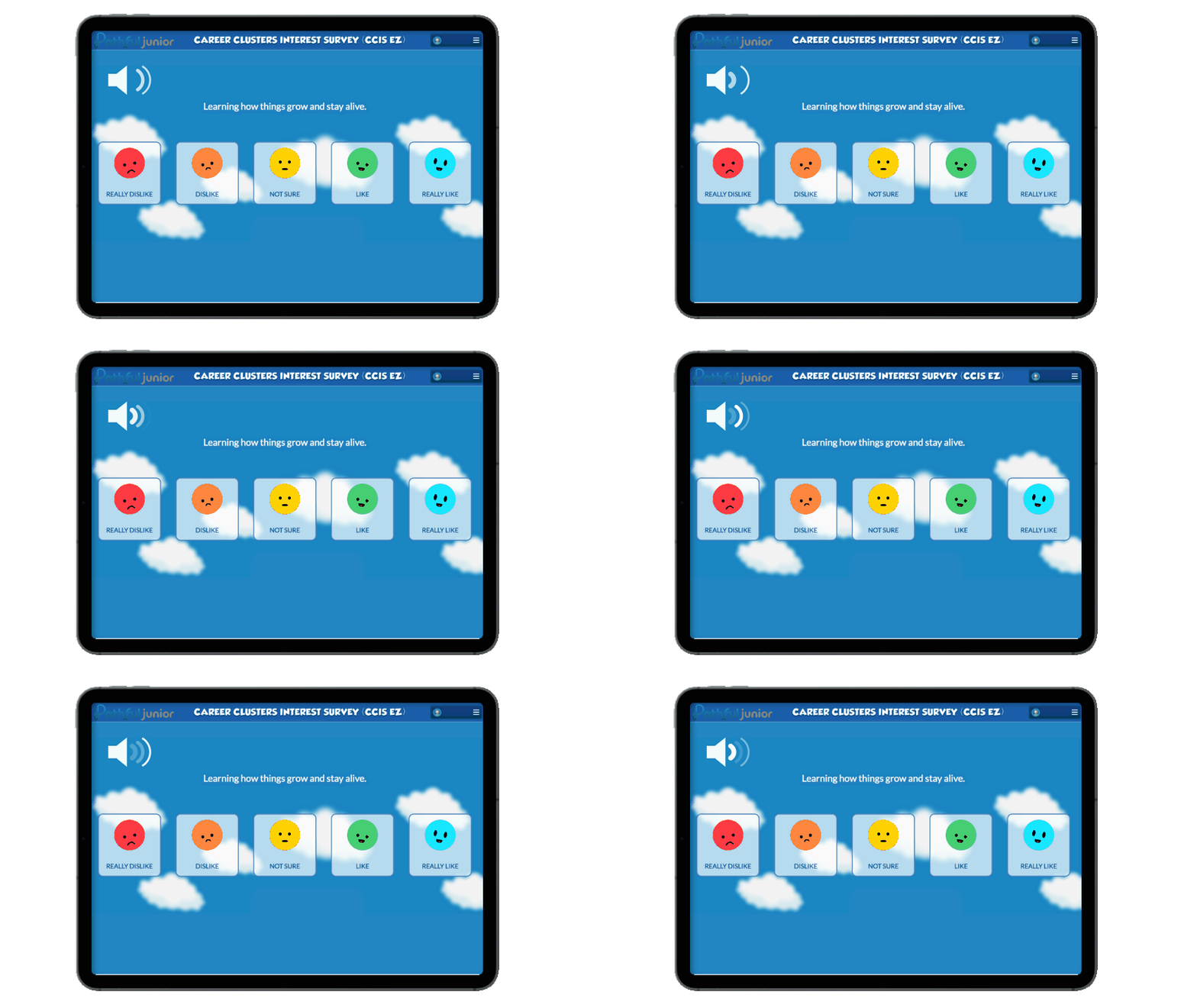
One feature stands apart for a K–2 room. The Interest Assessment presents written prompts, but a read-aloud option voices each one and students answer on an emoji scale, so a child who can't read still hears the prompt and taps a response on their own. Students take it individually, so each one gets their own results.
Demonstrate it once as a class first. Project a prompt, play the read-aloud, and walk through what each face on the emoji scale means, so students know what they're answering. Once they can log in and they've seen how it works, they can take it on their own.
The Career Crew gives non-readers characters to follow
Young students latch onto characters, and Pathful Junior has four of them. The Career Crew is Zuri, Fact Dragon, Volt, and Beep 9. They're the recognizable faces that turn an abstract idea like “jobs” into something closer to a story your students are part of.
Use them by name, the way you'd talk about a familiar character from a read-aloud series your class already knows. That recognition makes unfamiliar career content feel less intimidating and gives students a friendly anchor they can return to across sessions.
The characters also hand you an easy way into discussion. Ask what a crew member might think about the job you just watched, or which one would like a particular career best. A student who can't yet explain their own reasoning will happily explain it on a character's behalf.
Students respond without writing
Career exploration in K–2 doesn't have to produce written work. Build your responses around what your students can already do.
Thumbs up or thumbs down after a video tells you who's interested. Turn-and-talk gives every student a way to put a reaction into words out loud. Draw-what-you-saw turns a job shadow clip into an art response you can post on the wall. A quick sort, where students walk to one side of the room for “I'd try that job” and the other for “not for me,” gets them moving and shows you the whole class's reaction at once.
These are the same routines you already use for read-alouds and morning meeting, so the career content drops into structures your students know and can carry across a full year.
Add writing when your students are ready for it
The range in a K–2 room is wide, and it's widest with writing. In the same class you'll have students still forming letters and students who can put a few sentences together on their own, so treat writing as something students step into at their own level rather than one task the whole room does at once.
For your earliest writers, keep it simple. After a job shadow video, have them draw the worker and add a single letter, a word, a sound they hear, or the career name copied underneath. A dictated sentence is the next step up: the student tells you what the person does, you scribe it, and they read it back or trace over it.
Students who write more independently can answer a prompt from the video on their own, like what the job is or what they'd use to do it, spelling it as best they can. Your most capable writers can go further and put together a short piece of several sentences about a career that interested them. Invented spelling is fine when students are writing on their own like this.
Give students a profile they own
Even before students can read, they can make the platform theirs. Each student chooses a profile avatar from a set of 25 images, and picking one costs no reading at all. For a student this age, “that one is mine” is a real hook, and it's worth a few minutes early on so the platform feels like a place they belong rather than a worksheet in disguise.
What your students walk away with
Picture a kindergartner who watches a marine biologist tag a shark, votes thumbs up, and turns to tell a partner why. She's learning that jobs exist, that people spend their days doing different things, and that some of those things look interesting to her. That's career awareness starting, and none of it waited on reading.
Was this article helpful?
Thanks for letting us know!

Keep exploring.
Can't find what you need?
Our support team is here to help you make the most of Pathful.