
A reporting update that simplifies navigation with a clear single-screen menu, helpful information bubbles, and streamlined data refinement — making it easier than ever to find and use the right report.
At Pathful, we're always looking for ways to enhance your experience and make our platform more intuitive. That's why we're excited to introduce a major update to our reporting system — one that simplifies the way you generate and navigate reports, giving you a more user-friendly and efficient experience.
What's new?
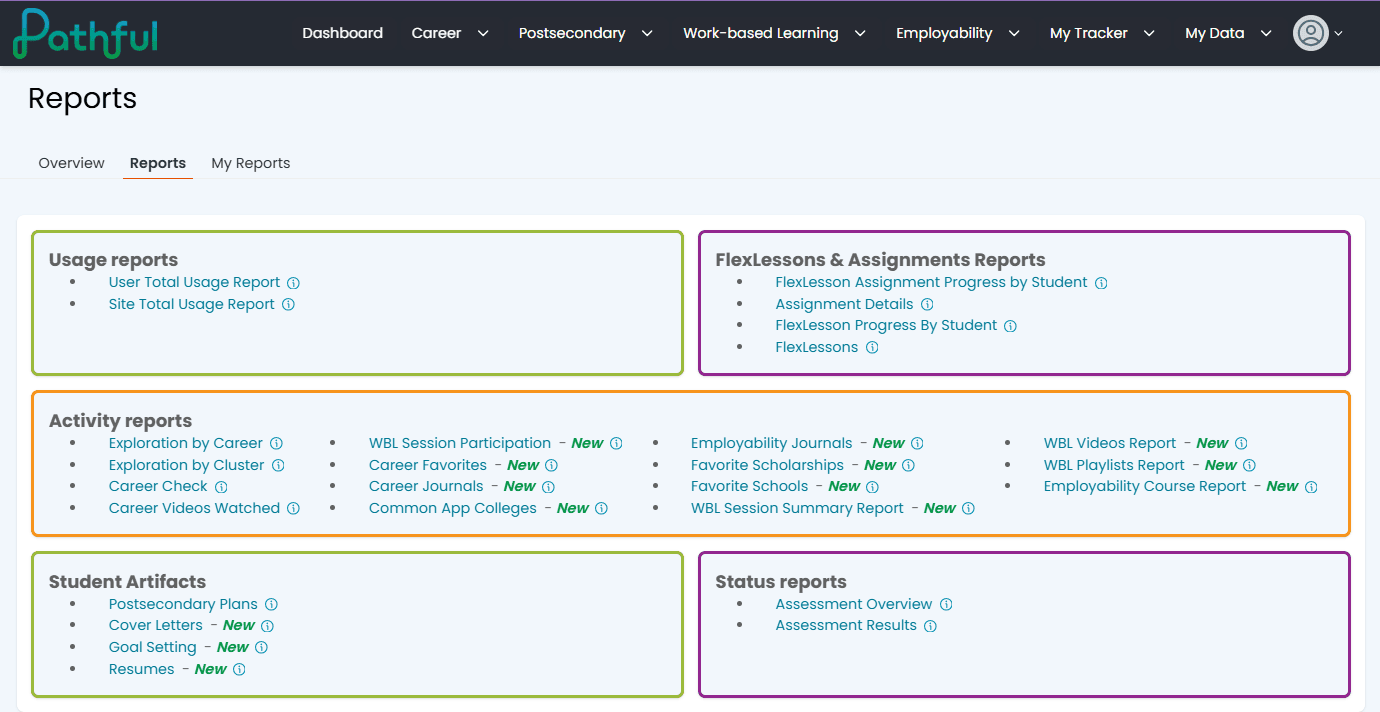
We know data is important to you as you support students along their career readiness journey, so we're always looking for ways to make Pathful reports more self-serve and flexible. With this update, all available reports are now displayed on one screen, so you can find the report you need even faster — and once you choose a report, you can customize and save it from the same screen where you see your data.
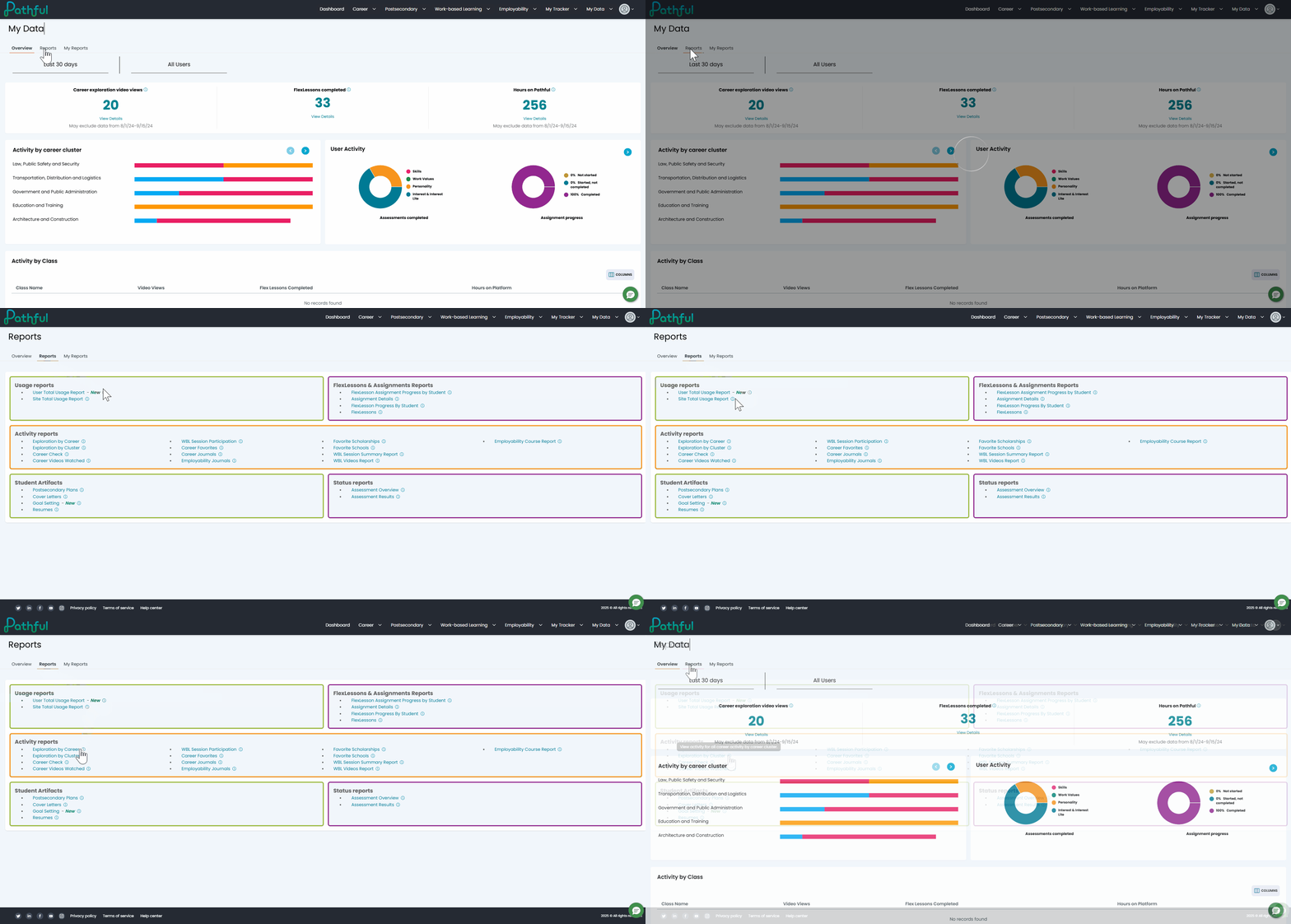
Next to each report's name, you'll now find an information bubble that provides a brief description, helping you quickly determine which report best suits your needs and saving you time.
Seamless report navigation
.gif)
Once you've found the report you need, simply click its name and you'll be taken directly to a results screen. From there, you can refine and filter the data using the options along the top of the page, making it easier than ever to tailor reports to your specific requirements. You can also save the report for future reference or export the data to a spreadsheet for further analysis and sharing.
My Reports: easy access and storage
Saving reports is simpler than ever. The My Reports section lets you store and revisit important reports without regenerating them each time. Whether you need quick access to frequently used data or want to track changes over time, this feature ensures your reports are always at your fingertips.

Why this matters
With this update, educators and administrators can:
- See all available reports at a glance — no more searching through dropdowns.
- Understand what each report offers — thanks to built-in information bubbles.
- Quickly access and refine data — for faster insights and better decision-making.
By streamlining the reporting process, Pathful empowers educators with the data they need — without the hassle. We're excited for you to experience this update and make the most of your reporting tools. Log in today and check out the new reporting experience!
Was this article helpful?
Thanks for letting us know!

Keep exploring.
Can't find what you need?
Our support team is here to help you make the most of Pathful.