
Designing Inclusive FlexLessons in Pathful
Learn practical strategies for designing inclusive FlexLessons in Pathful. Discover how to maintain rigor while expanding access through structure, differentiation, and intentional instructional design.
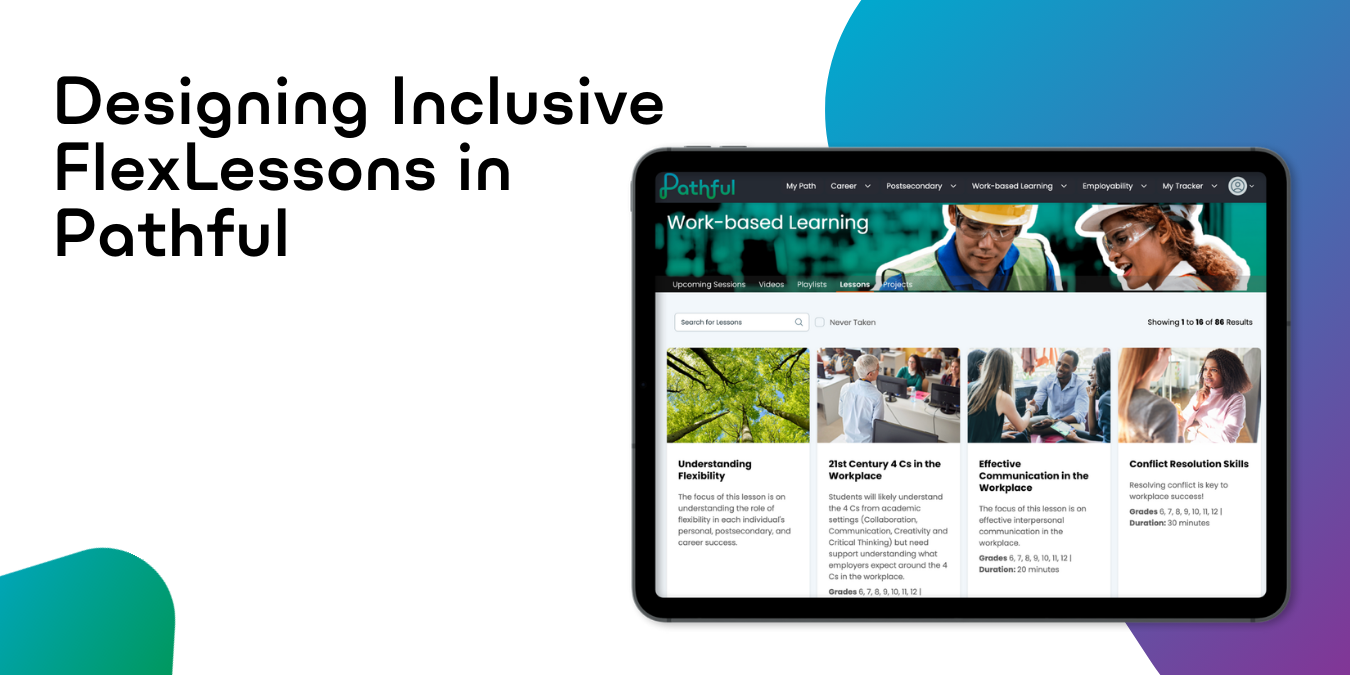
Strategies for Differentiation Across Student Populations
Custom FlexLessons allow educators to design learning experiences that are flexible, supportive, and consistent across classrooms. When inclusion is considered during planning, FlexLessons can better reflect the range of needs students bring to learning.
This article focuses on instructional design decisions that support differentiation and inclusion across student populations. It does not explain how to build or edit lessons in Pathful (for more info on building and editing custom FlexLessons see How to Build a Custom FlexLesson in Pathful). Instead, it provides guidance for making thoughtful design choices that increase access while maintaining clear learning goals.
Design for Access From the Beginning
Inclusive design is most effective when it is intentional from the start. Rather than adjusting lessons only after students struggle, FlexLessons can be planned to account for variability up front.
FlexLessons designed with access in mind often share a few characteristics:
- Clear and consistent structure
- A limited number of purposeful activities
- Explicit directions and expectations
- Flexible pacing supported by checkpoints
- Options for how students engage and respond
These choices support all learners and are especially important for students who benefit from clarity, predictability, or flexibility.
Start With Structure, Not Content
When a lesson feels inaccessible, the issue is often how it is organized rather than what it contains. Before rewriting prompts or adding new activities, examine the structure of the lesson.
Inclusive lesson structures typically:
- Follow a predictable sequence
- Focus on one primary outcome
- Break complex tasks into manageable steps
- Minimize unnecessary transitions
Clear structure reduces cognitive load and creates access without lowering expectations.
Differentiation Moves That Work Across Lessons
Rather than creating separate lessons for each population, many educators rely on a small set of design moves that can be applied consistently.
Reduce Cognitive Load
Too many steps or activities can cause students to rush or disengage.
Design considerations:
- Remove optional or secondary activities
- Use one strong resource instead of several
- Keep directions focused on the task
Make Expectations Explicit
Students are more successful when they understand what completion looks like.
Design considerations:
- Clarify what is required versus optional
- Highlight the most important part of a response
- Provide guiding questions or sentence starters
Allow Flexible Responses
When possible, offer multiple ways for students to show understanding without changing the learning goal.
Design considerations:
- Short responses in place of long reflections
- Structured prompts instead of open-ended writing
- A brief explanation paired with a completion check
Use Checkpoints Intentionally
Checkpoints support pacing and provide insight into student progress.
Design considerations:
- Mid-lesson check-ins
- Short reflections tied to the goal
- Clear confirmation of completion
Designing With Student Needs in Mind
Differentiation is not about labeling students or creating separate tracks by default. It is about anticipating common barriers and planning lessons that support access while preserving rigor.

Students With IEPs or 504 Plans
Prioritize clarity, chunking, and pacing.
Common design adjustments include:
- Breaking tasks into smaller steps
- Reducing the number of activities while keeping the outcome intact
- Making expectations visible
- Allowing flexible timing
The focus remains on the same learning goal, with adjustments to how students engage with it.
Multilingual Learners
Support language access without reducing the thinking required.
Common design adjustments include:
- Using plain, direct language in instructions
- Adding sentence starters or vocabulary support
- Reducing text-heavy steps that are not essential
- Prioritizing meaning over length or polish
Clear structure helps students focus on ideas rather than decoding directions.
Students in Alternative Programs or Credit Recovery
Support re-engagement through structure and momentum.
Common design adjustments include:
- Shorter lessons with a clear purpose
- Predictable pacing and visible progress
- Frequent checkpoints
- Reflection connected to personal goals or next steps
Lessons that feel manageable and purposeful can support sustained participation.
Adult Learners or Workforce Programs
Design for relevance and efficiency.
Common design adjustments include:
- Clear connection to real-world outcomes
- Streamlined lessons that respect time constraints
- Opportunities to apply prior experience
- Action-oriented reflection prompts
Design choices should acknowledge learner experience and focus on usefulness.
Maintain Rigor While Expanding Access
Differentiation does not mean lowering expectations. It means removing barriers so more students can meet the same goals.
When refining FlexLessons:
- Keep the core outcome unchanged
- Adjust format, scaffolding, or pacing rather than objectives
- Preserve reflection and application, even if brief
- Avoid replacing meaningful work with completion-only tasks
A useful check is whether the thinking required stayed consistent, even if the path changed.
Decide When One Version Is Enough
In many cases, one FlexLesson is sufficient.
A single lesson works well when:
- Students share the same outcome
- Differences are primarily in pacing or support
- Choice can be built into activities
Multiple versions may be appropriate when:
- Program requirements differ significantly
- Available time varies widely
- Students need different entry points to access the same goal
If multiple versions are used, clear naming and organization help keep lessons manageable.
Refine Through Use
Inclusive design improves through iteration. After students complete a lesson, look for patterns:
- Where students slowed down or rushed
- Which directions caused confusion
- Which activities produced the strongest responses
Small adjustments over time lead to stronger lessons without requiring major redesigns.
What to Try Next
- Review an existing FlexLesson with access in mind
- Identify one structural change that could improve access, clarity, or flexibility
- Apply one differentiation move that supports multiple learners
- Reuse the lesson and refine it based on student outcomes
Designing inclusive FlexLessons is not about getting everything right immediately. It is about making deliberate choices that expand access while keeping learning purposeful.
.webp)
.png)
.png)


.png)






.png)
.png)

.png)

.png)
.png)




.png)

.png)



.png)

.png)


.png)


.png)
.webp)

.png)
.png)

.png)
.png)
%20(1).png)
.png)
.png)


.png)


.png)



.png)

.png)


.png)
.png)




.png)



.png)

.png)






.png)
.png)



.webp)
.webp)
%20(1)%20(1).webp)
.webp)
.webp)